Your first integration, step 5 of 5
Webhooks
Have CitaPay tell your system when something happens.
- Step 1.
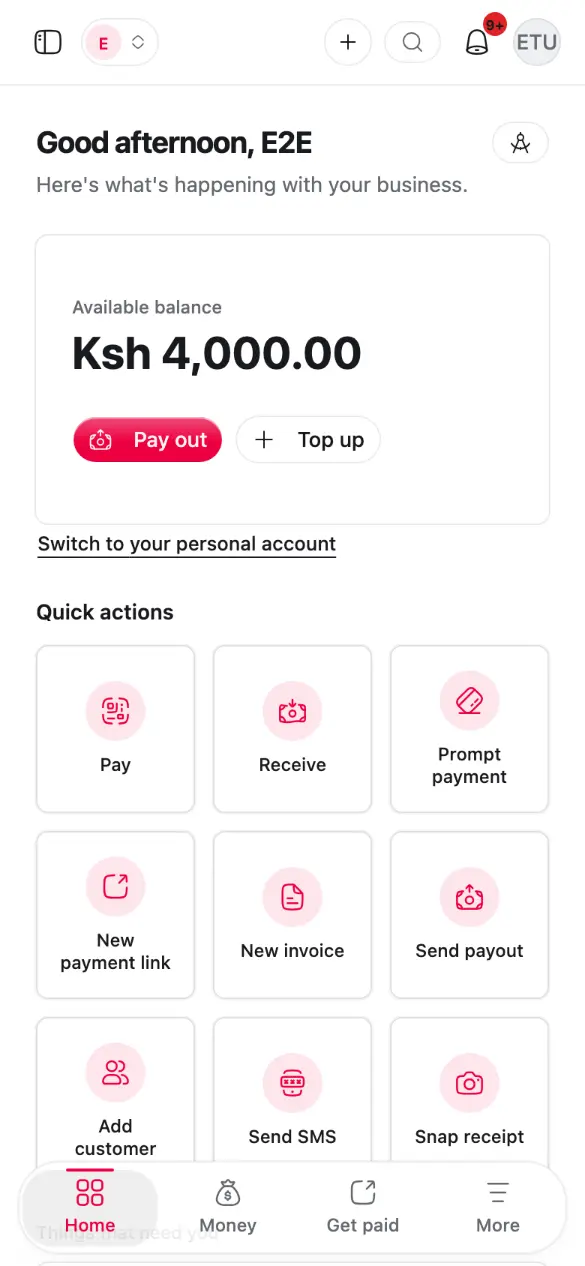
Tap More
It is at the right of the bar at the bottom of the screen.
- Step 2.
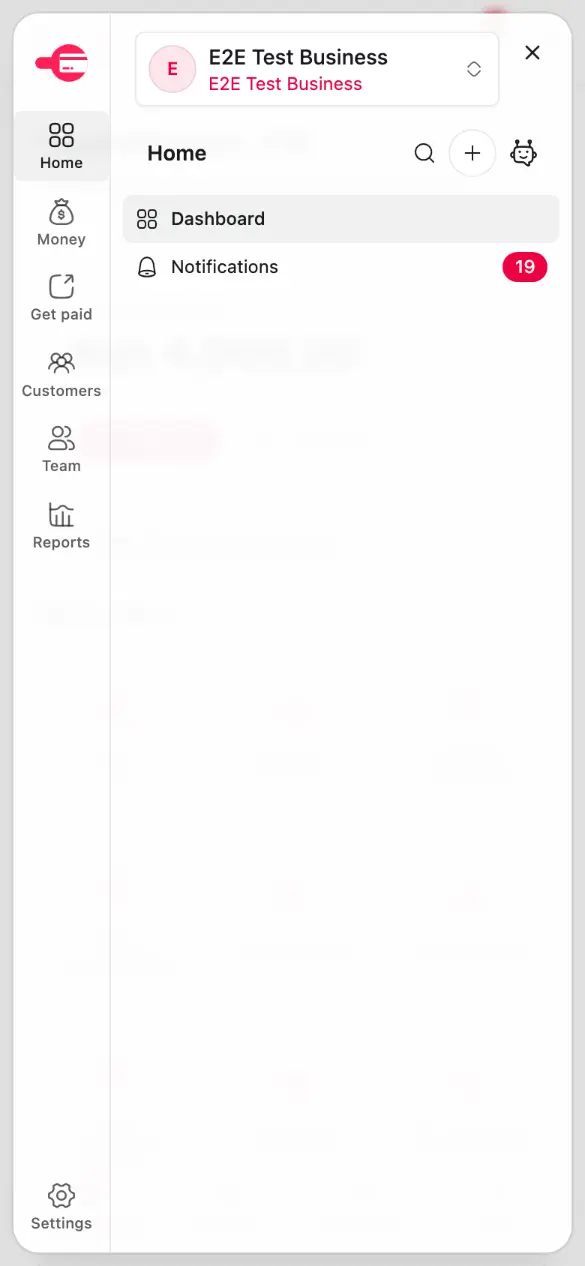
Tap Settings
- Step 3.
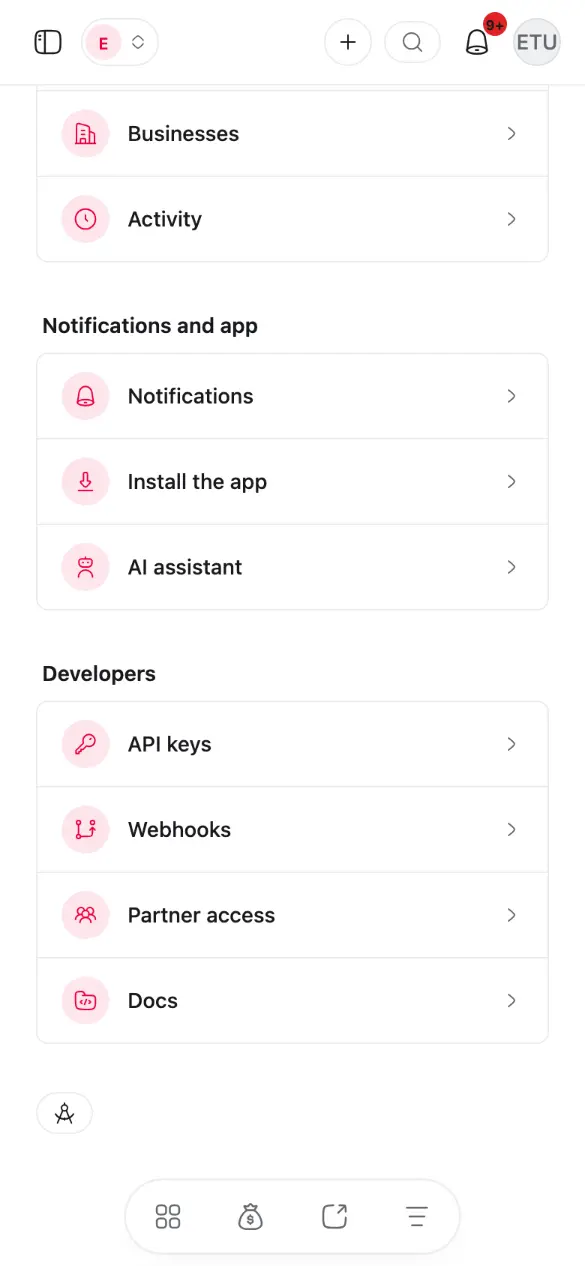
Tap Webhooks
It is under Developers.
Your endpoints are listed with their recent deliveries.
- Step 4.
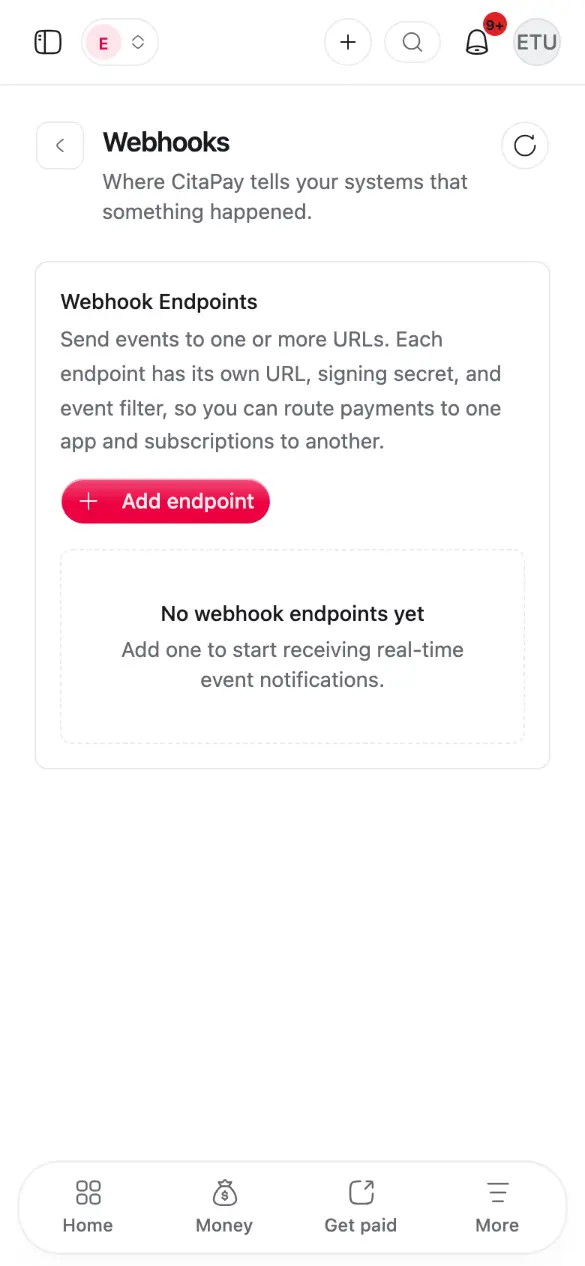
Tap Add endpoint
A form opens for the address and the events.
- Step 5.
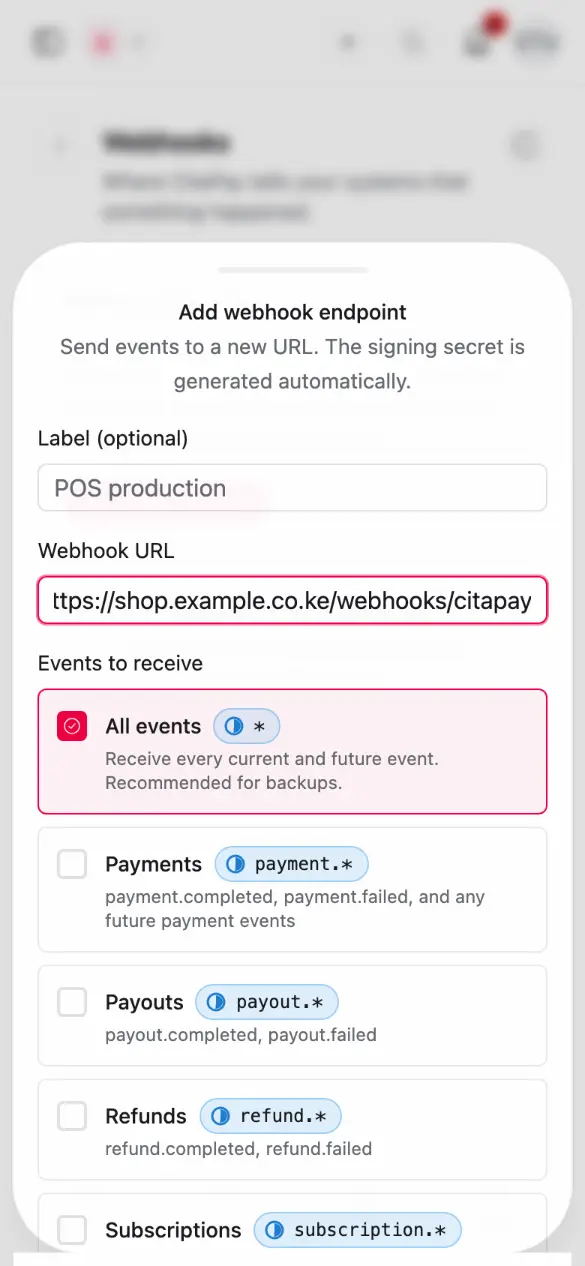
Type your webhook address
It must be a public HTTPS address.
Type in Webhook URL, for example https://shop.example.co.ke/webhooks/citapay
- Step 6.
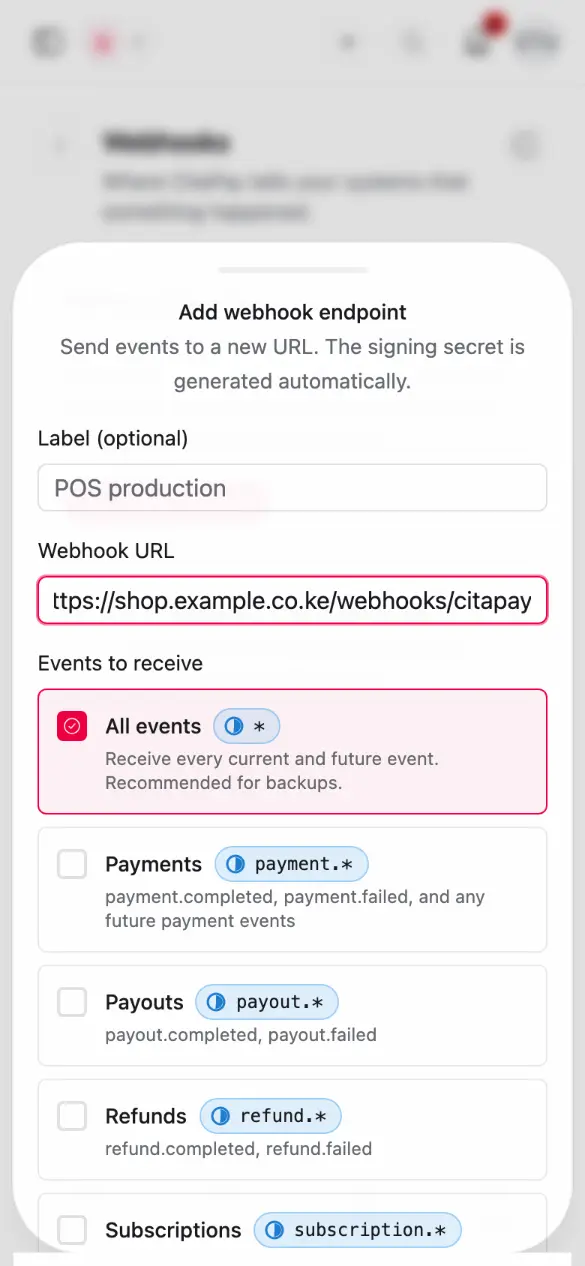
Pick the events you want
Such as Payments for payment.completed and payment.failed. All events sends everything, including events added later.
Tap Payments payment.*
- Step 7.
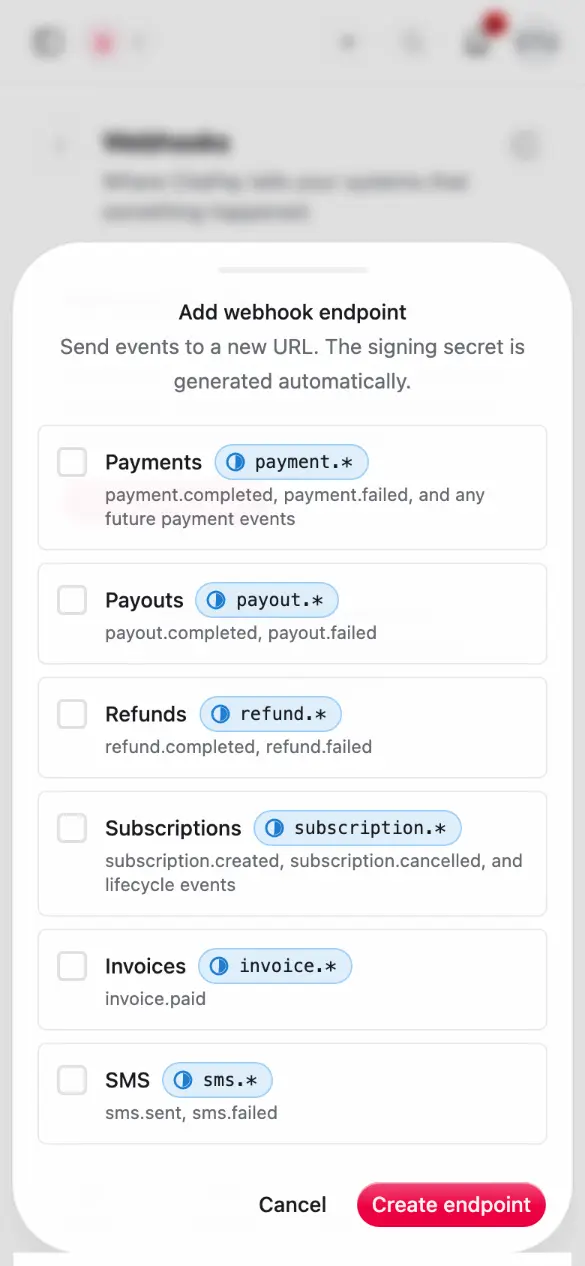
Tap Create endpoint
The endpoint gets its own signing secret. Copy it to your server.
- Step 8.
Check every delivery, then reply quickly
Check each delivery's X-CitaPay-Signature header against the raw body with your endpoint secret. Reply with any 2xx within 10 seconds.