KRA eTIMS receipts
Send tax receipts to KRA for every sale, automatically.
- Step 1.
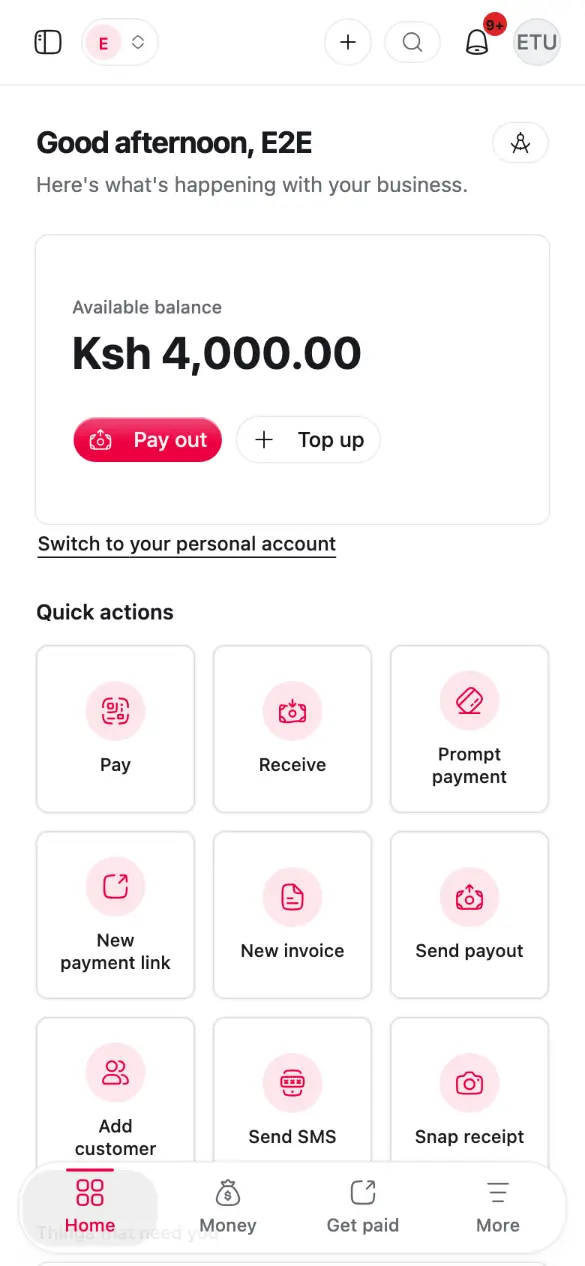
Tap More
It is at the right of the bar at the bottom of the screen.
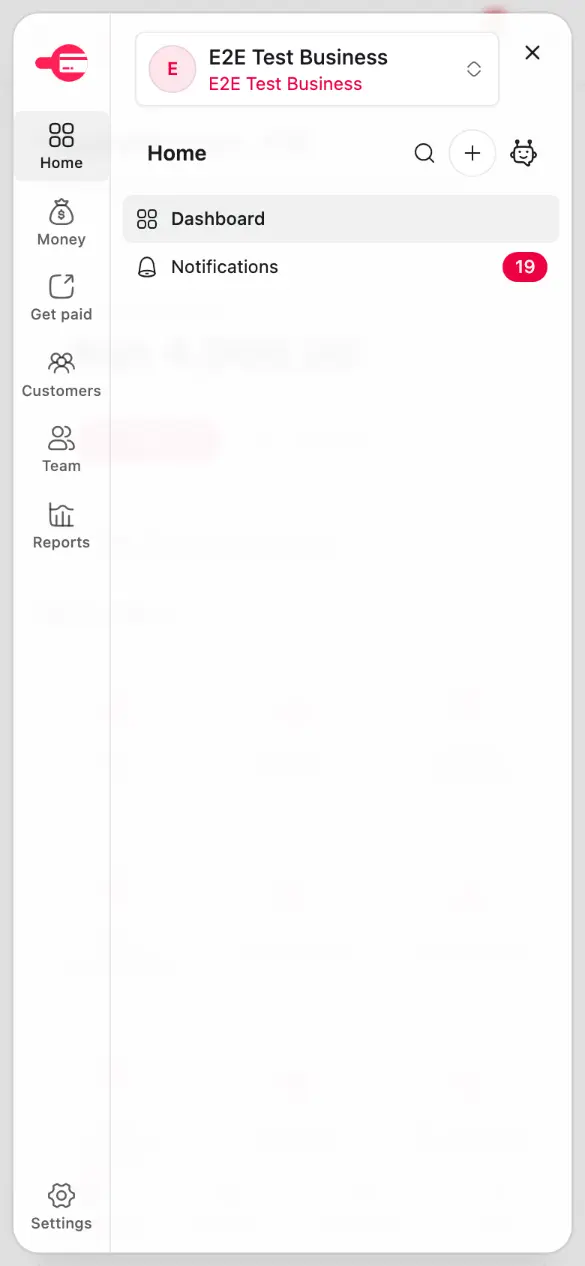
- Step 2.
Tap Reports
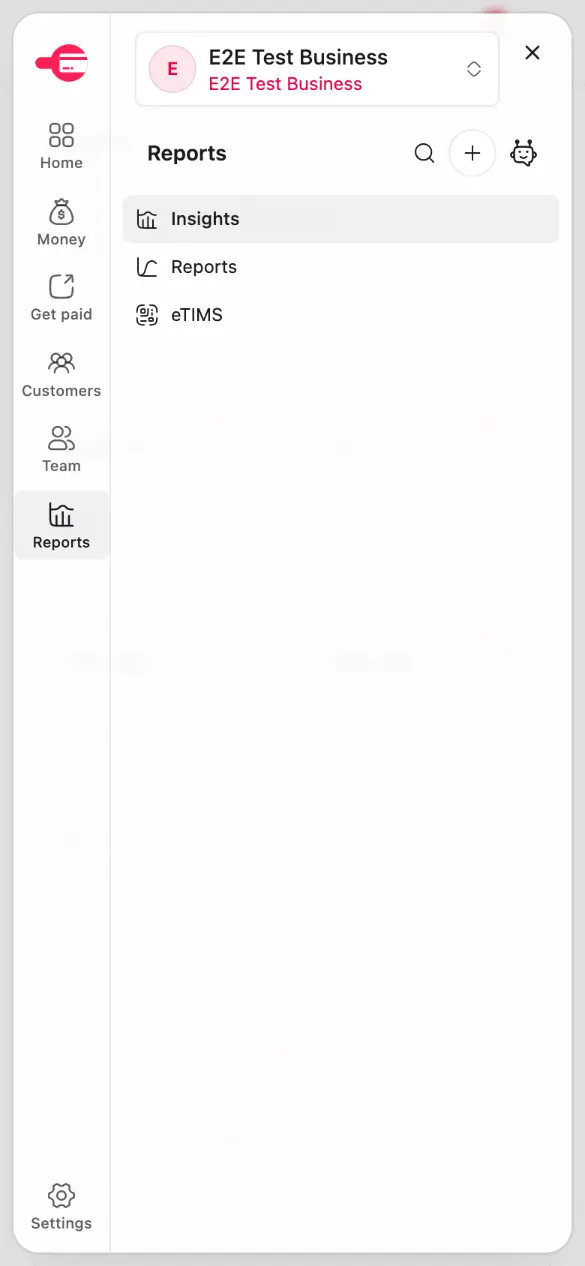
- Step 3.
Tap eTIMS
Tax invoices opens with a short sign-up form.
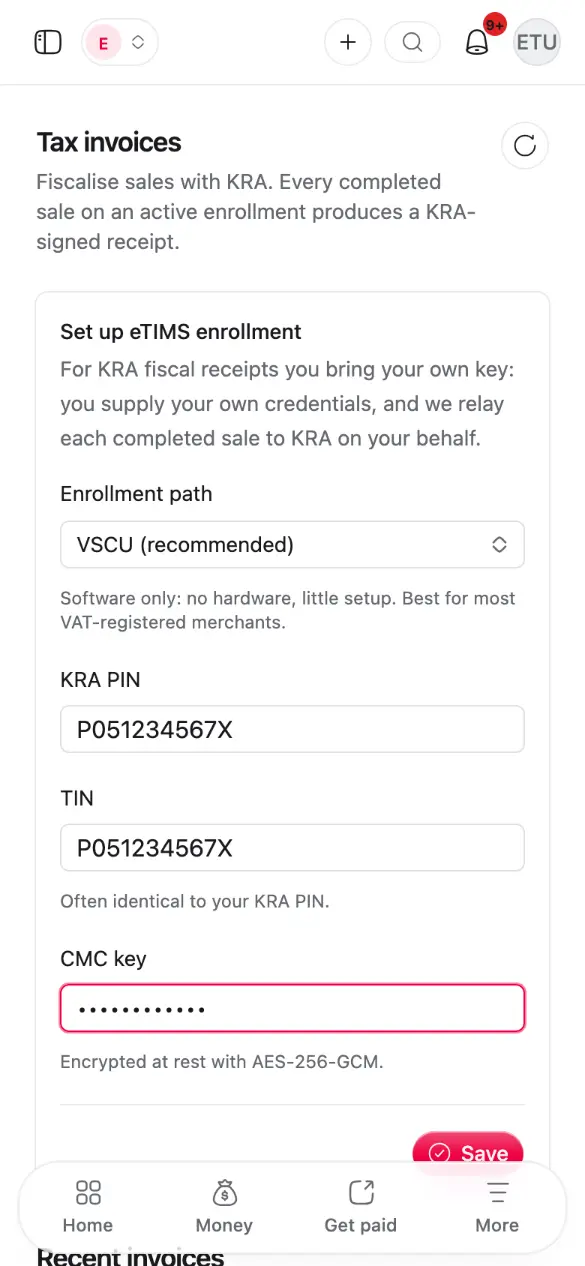
- Step 4.
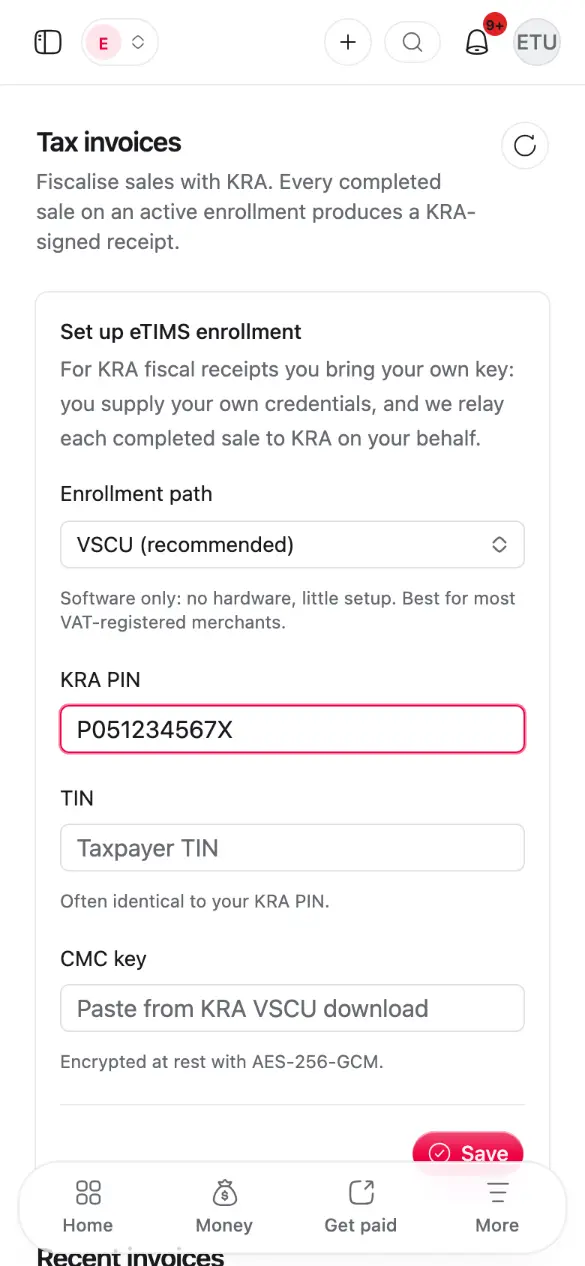
Keep VSCU, then type your KRA PIN
VSCU is software only, with no device to buy, and suits most businesses.
Type in KRA PIN, for example P051234567X
- Step 5.
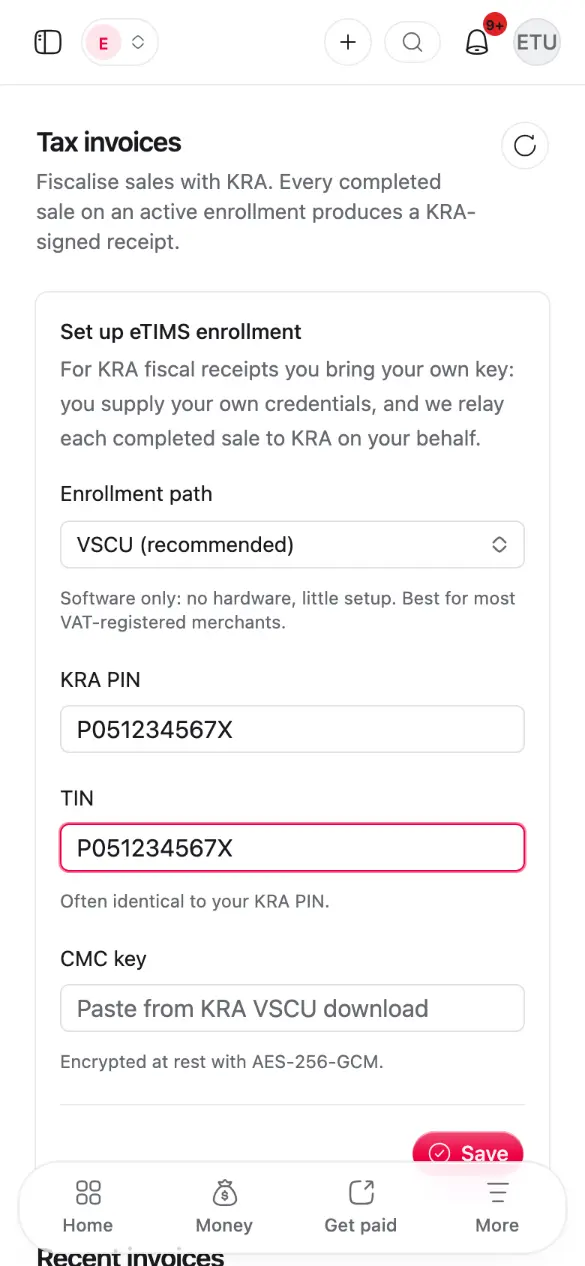
Type your TIN
It is often the same as your KRA PIN.
Type in TIN, for example P051234567X
- Step 6.
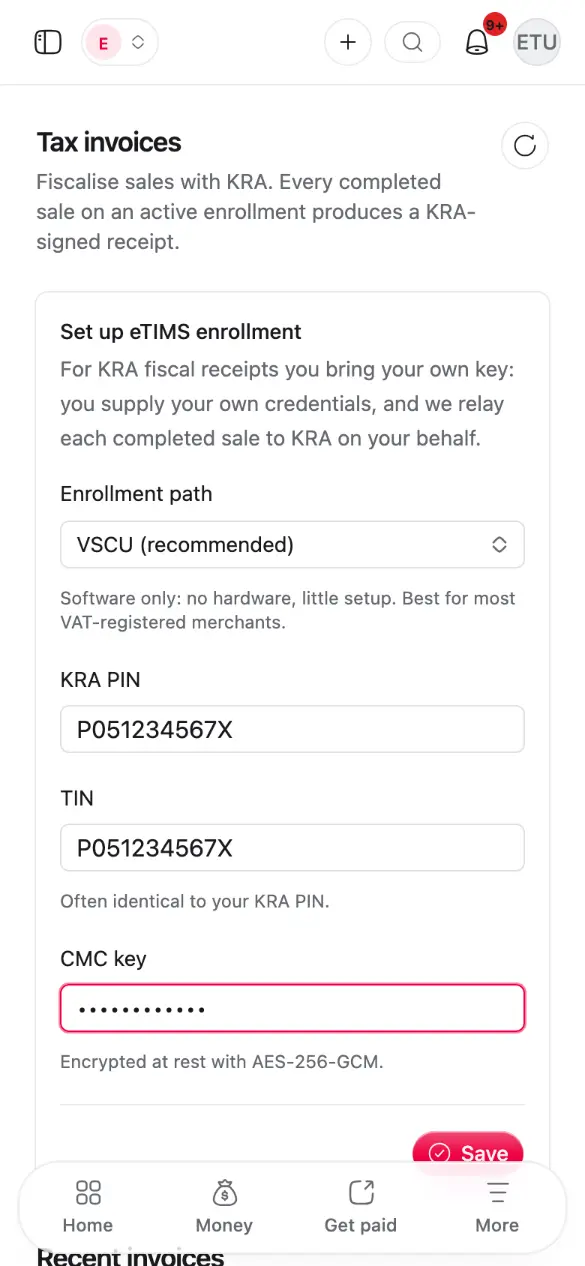
Paste your CMC key
It comes in the file KRA gives you when you sign up for VSCU.
Type in CMC key, for example A1B2C3D4E5F6
- Step 7.
Tap Save
From now on each payment you take is sent to KRA as an itemised receipt, listed under Recent invoices.