Your first day, step 4 of 6
Take a payment on the spot
Send an M-Pesa prompt straight to a customer's phone at the counter.
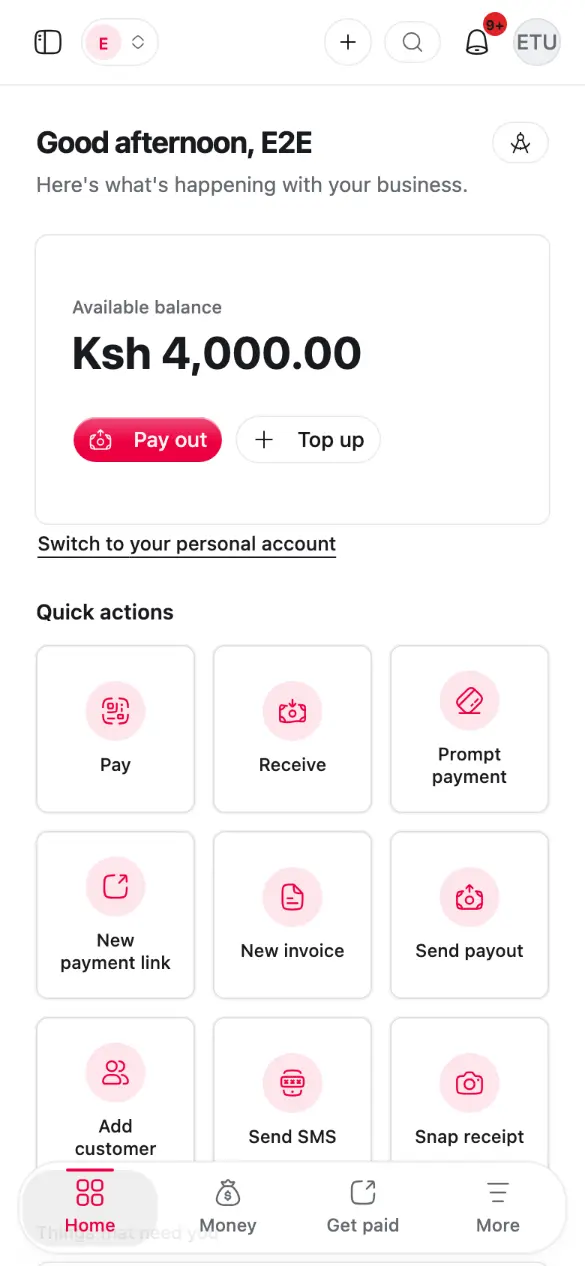
- Step 1.
Tap Get paid
It is in the bar at the bottom of the screen.
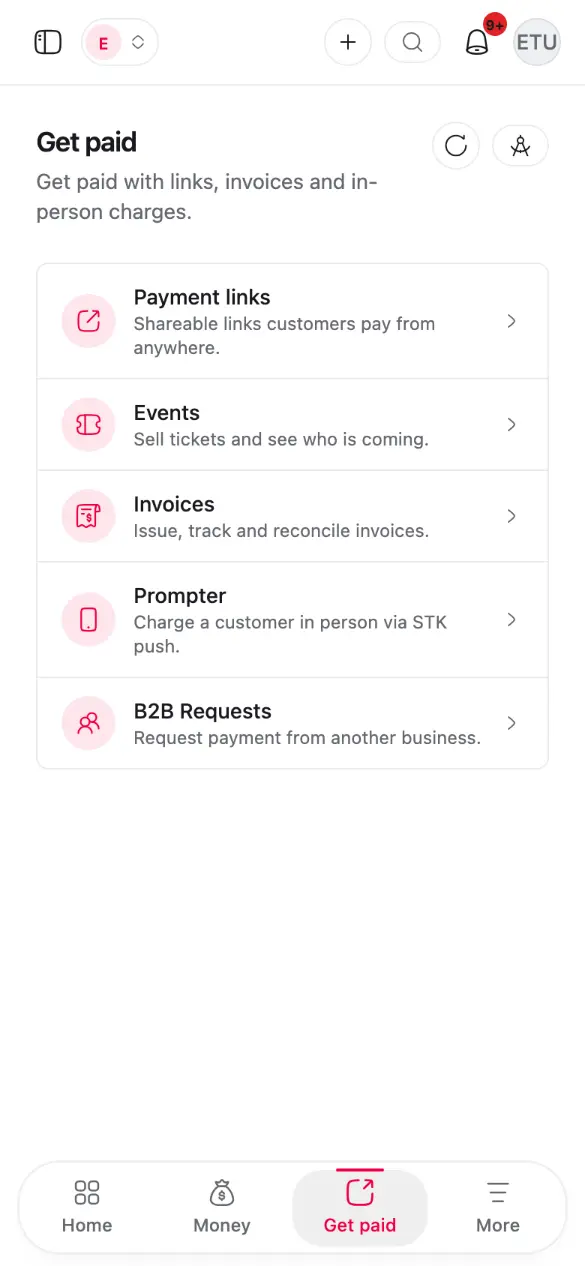
- Step 2.
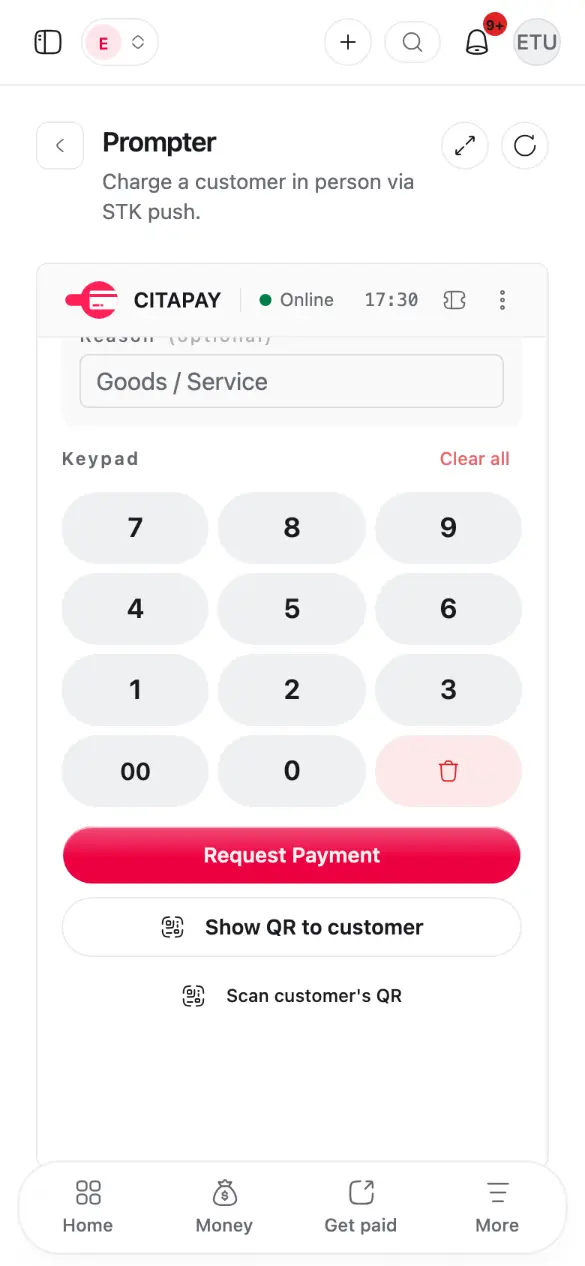
Tap Prompter
A till screen opens with a keypad.
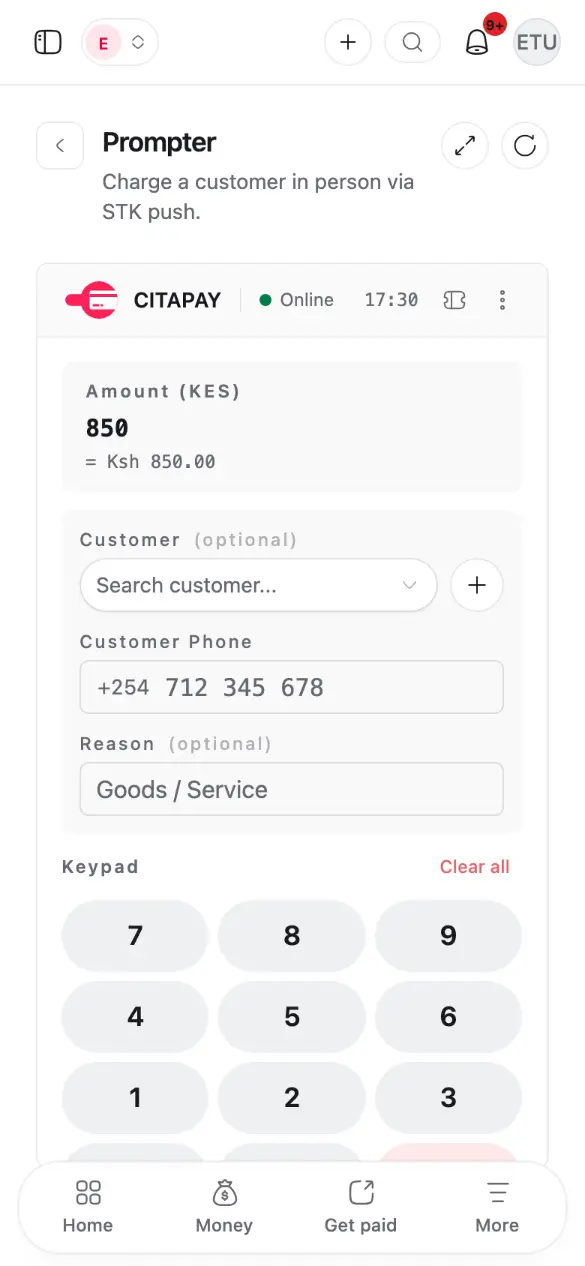
- Step 3.
Type the amount
Use the keypad or your keyboard.
Type in Amount in KES, for example 850
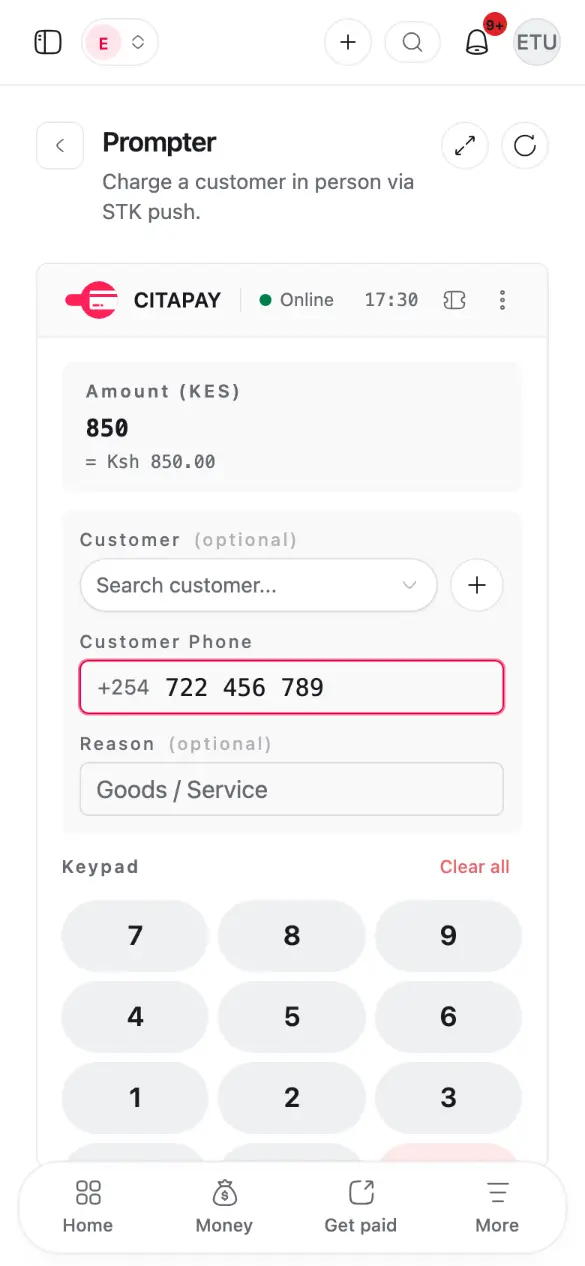
- Step 4.
Type the customer's M-Pesa number
Type it without the first 0. To keep a record, pick or add the customer above it. A reason, such as what they bought, is optional.
Type in 712 345 678, for example 722 456 789
- Step 5.
Tap Request Payment
An M-Pesa prompt appears on the customer's phone. You watch the payment complete on screen as soon as they enter their PIN.
Next in your first day
Take payments at your counter
Print your till code poster so walk-in customers pay from the M-Pesa menu.