Your first day, step 1 of 6
Verify your business
Send your business details once so you can take payments and pay out.
- Step 1.
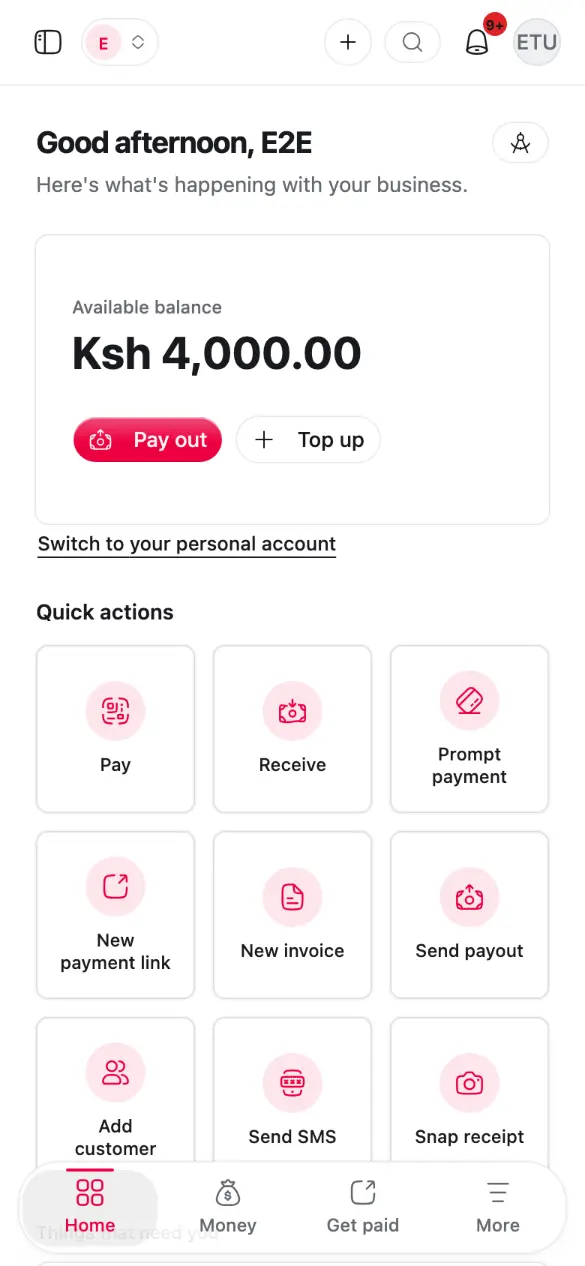
Tap More
It is at the right of the bar at the bottom of the screen.
- Step 2.
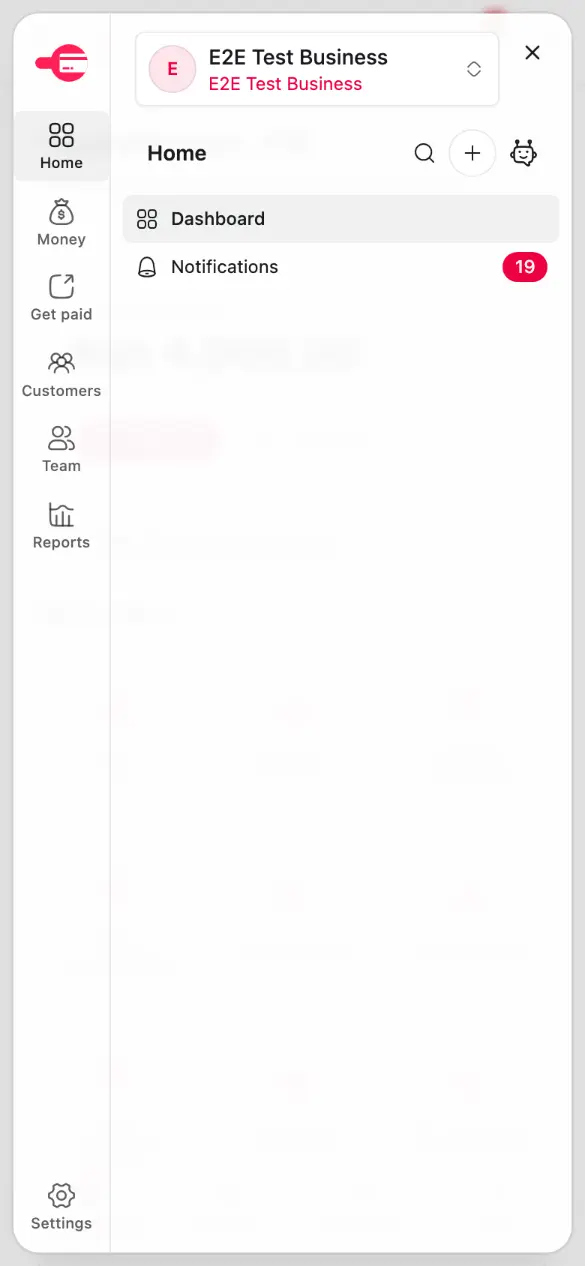
Tap Settings
- Step 3.
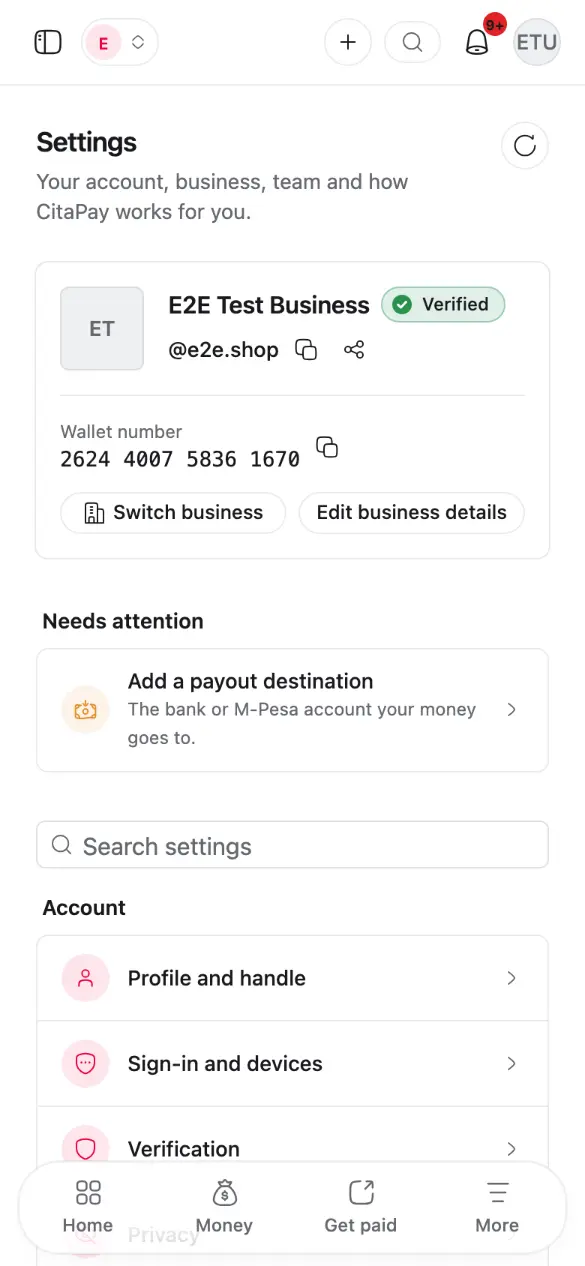
Tap Verification
It is under Account.
Your own identity check is at the top. Your business has its own check below it.
- Step 4.
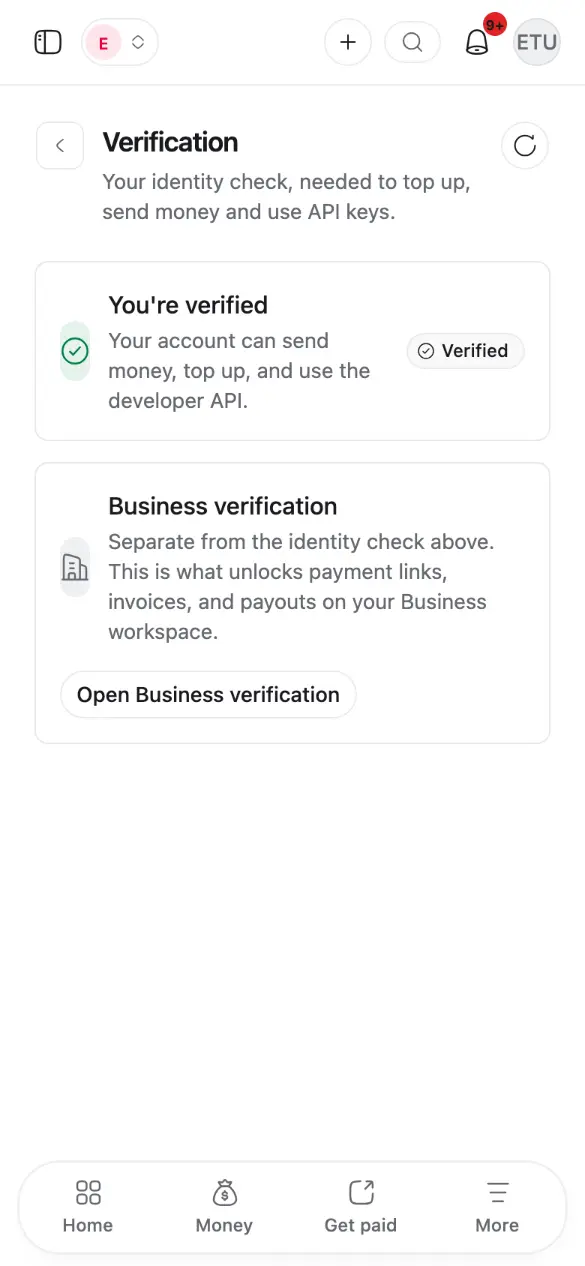
Tap Open Business verification
Business verification opens and walks you through seven short steps.
- Step 5.
Pick your business type, then add your own ID and a selfie
A sole trader, partnership, company, co-operative or organisation. The type decides which documents are asked for later.
- Step 6.
Add your business details and the account you get paid to
The business name and address, then the M-Pesa number or bank account where payouts go.
- Step 7.
Upload your documents
A clear photo or PDF of each. For a partnership, company or co-operative, the next step asks for everyone who owns 25% or more, with their ID number.
- Step 8.
Tap Submit for review
It is on the last step, under a summary of everything you entered.
- Step 9.
Wait for the result
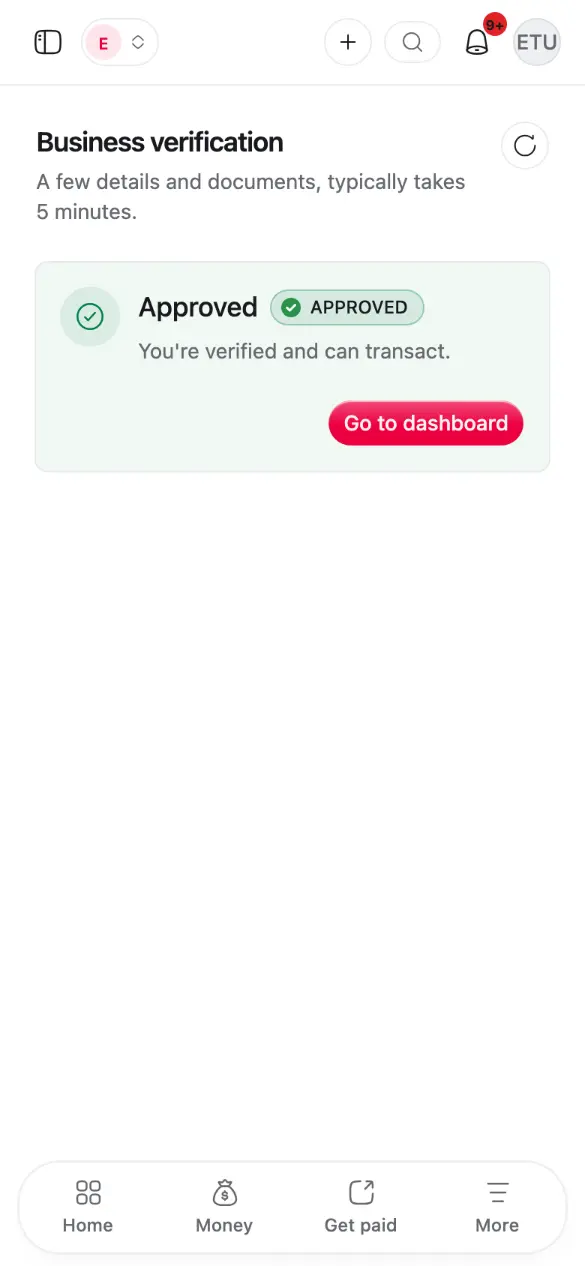
Our team reviews it and you get a notification. Once approved, this page says so and payments and payouts unlock.
Tap Approved
Next in your first day
Your @name and QR code, ready for the counter.